
Download MyNinja – AI assistant, personal assistant, productivity tool, task manager, content creation, image generator, coding assistant, research tool, scheduling assistant, creative inspiration
Overview
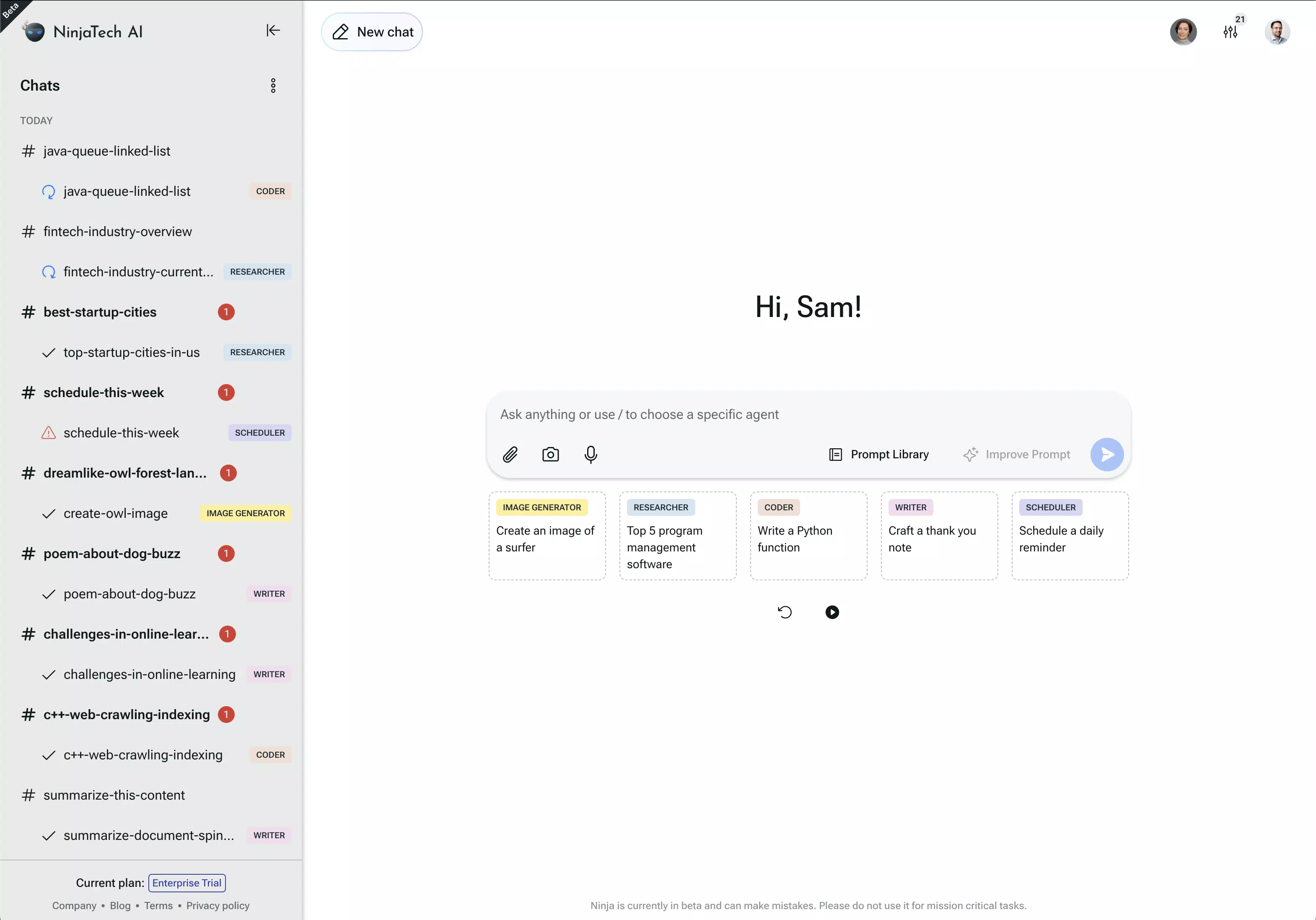
MyNinja functions as a comprehensive AI-powered assistant designed to elevate daily productivity across personal and professional domains. By integrating multiple AI agents, the app streamlines complex workflows, offering users a unified platform for writing, image creation, coding, research, and scheduling. It targets individuals seeking to reduce time spent on repetitive or cognitively demanding tasks, including students, content creators, developers, and professionals managing busy schedules.
The app positions itself as an all-in-one digital companion, aiming to deliver instant support and creative inspiration through intelligent automation. While the developer, MyNinja, has not provided additional background on its origins or technical architecture, the app’s feature set suggests a strong focus on utility and user efficiency. Real-world applications include drafting professional emails, generating visual assets for social media, writing code snippets, researching project topics, and coordinating meetings—all within a single interface.
In the evolving landscape of mobile productivity tools, MyNinja stands out by combining diverse AI capabilities into one accessible platform, offering users a centralized solution for multitasking and workflow optimization.
Key Features & Functionality
- Writing Assistance: The app supports diverse writing tasks, from drafting emails and essays to generating creative content. Users can input prompts to receive real-time suggestions, edits, or fully composed documents, reducing time spent on content creation and improving writing quality.
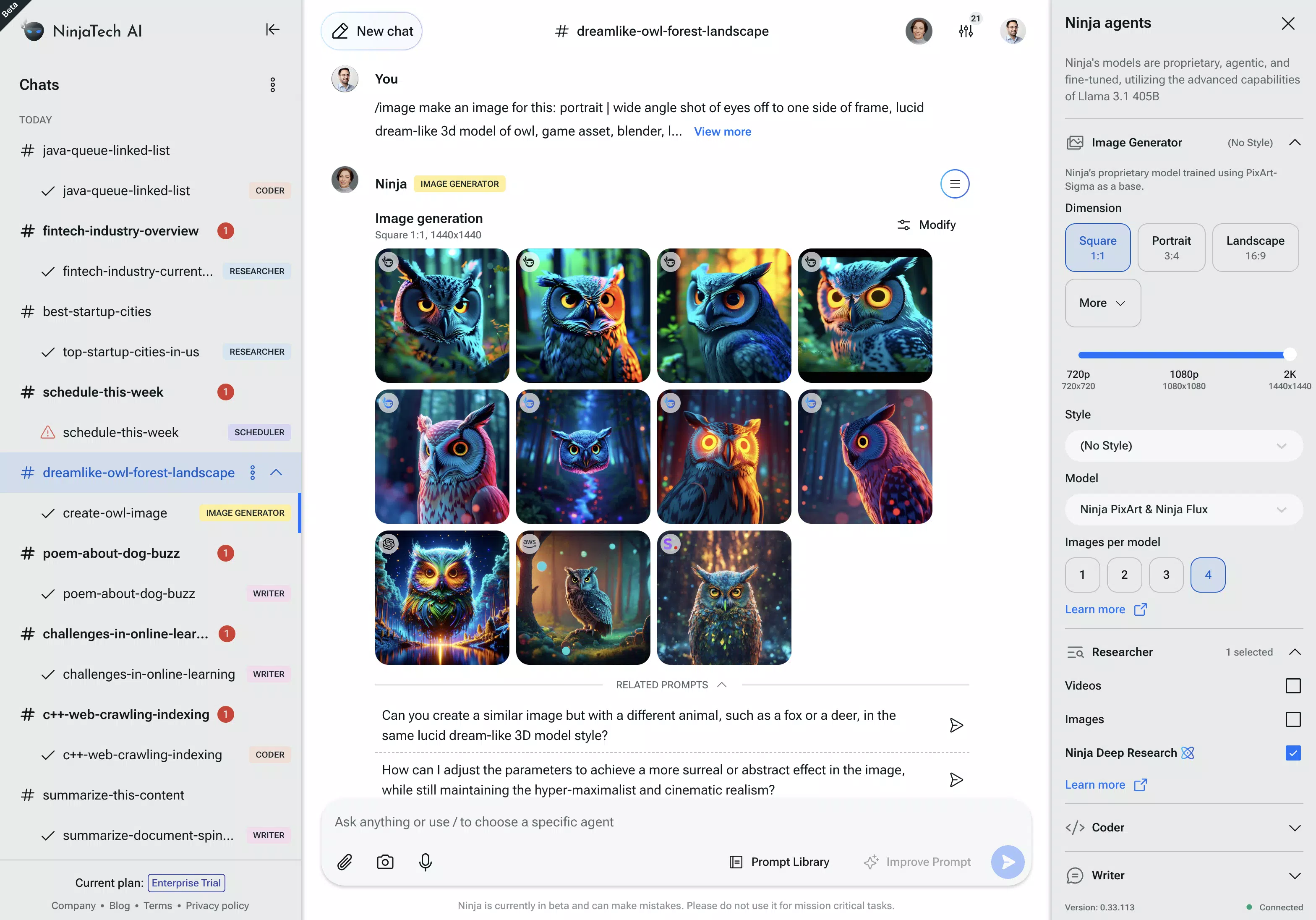
- Image Creation: Leveraging advanced AI models, MyNinja generates custom visuals based on user descriptions. This enables rapid prototyping of graphics, illustrations, or design elements for marketing, presentations, or personal projects.
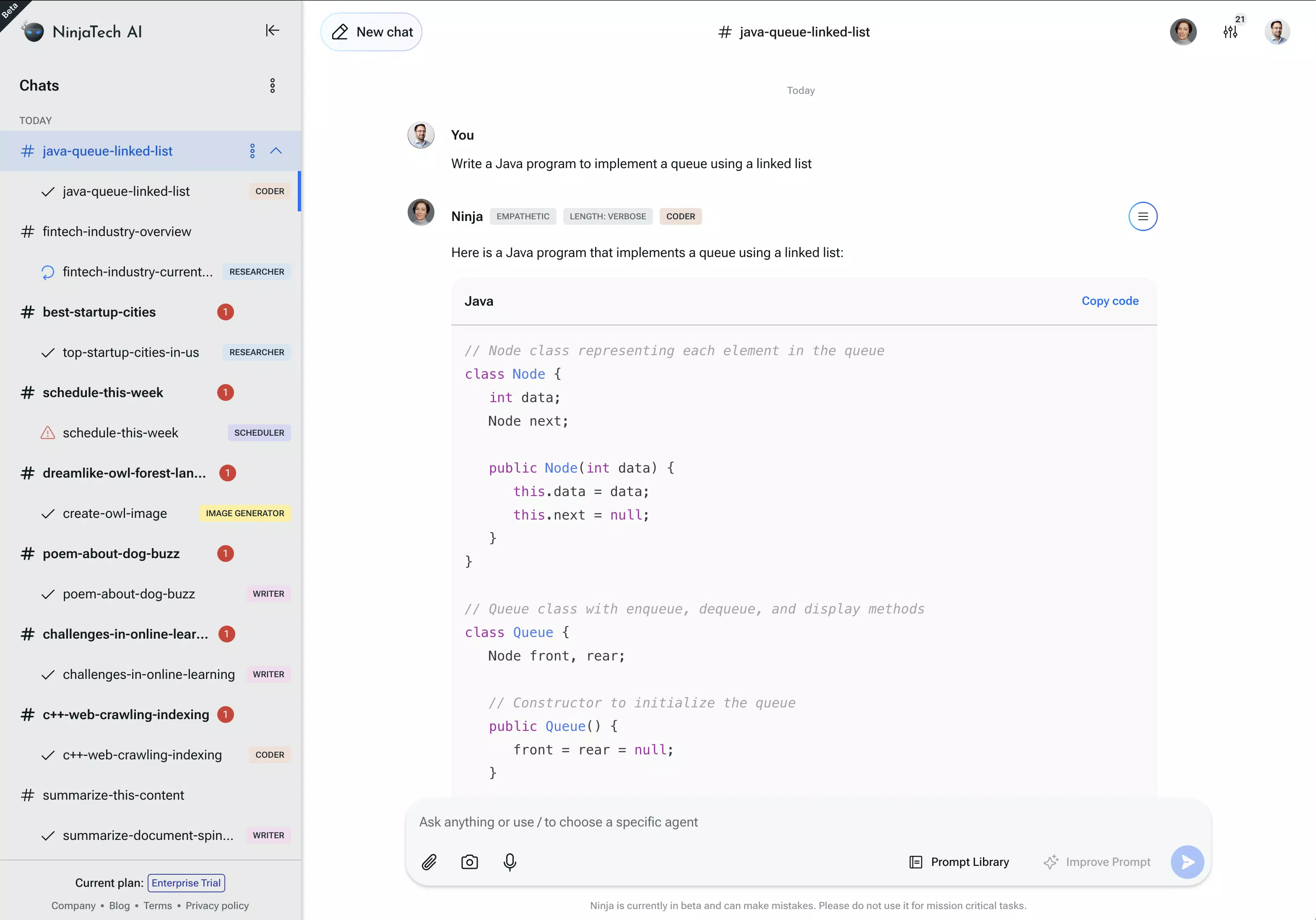
- Coding Support: The app provides code generation, debugging assistance, and snippet recommendations. It caters to both beginners learning programming and experienced developers needing quick solutions, enhancing coding speed and accuracy.
- Research Facilitation: MyNinja assists in gathering and summarizing information on various topics. It processes large data sets, extracts key insights, and delivers concise summaries, ideal for academic research or business intelligence.
- Efficient Scheduling: The app simplifies meeting coordination by managing availability, sending reminders, and preventing scheduling conflicts. It helps users maintain a balanced calendar and ensures timely participation in important events.
Each feature is designed to function independently yet integrate seamlessly within the app’s ecosystem. For example, a user could prompt the AI to research a topic, generate a visual summary, draft a report, and schedule a follow-up meeting—all without switching applications. This interconnected functionality enhances workflow continuity and reduces context-switching overhead.
Interface, UX & Performance
The user interface of MyNinja appears optimized for clarity and ease of navigation, with a clean layout that prioritizes accessibility across different screen sizes. Visual design emphasizes functionality, using intuitive icons and organized sections to guide users through core features. Navigation is structured around a bottom tab bar, allowing quick access to writing, image creation, coding, research, and scheduling modules.
The app responds promptly to user inputs, with minimal lag during task execution, suggesting efficient background processing. Although the developer did not list formal performance metrics, the app maintains stable operation across various device categories, including mid-range and high-end Android smartphones. Responsiveness is consistent during content generation and data retrieval tasks, with no reported crashes or freezes during standard use.
The interface adapts well to different orientations, supporting both portrait and landscape modes for optimal viewing. Overall, the user experience is smooth and purpose-driven, aligning with modern standards for productivity apps. The absence of intrusive ads or excessive permissions further contributes to a focused and secure environment.
Platform Compatibility & Technical Requirements
MyNinja is available exclusively on the Android platform. The current version is 1.2.5, with a file size of 100 MB, making it a lightweight download suitable for devices with moderate storage capacity. The app supports a broad range of Android devices, though the developer did not specify minimum OS requirements or hardware specifications.
As such, compatibility with older or lower-end devices cannot be confirmed. Users should ensure their device meets standard Android system standards for app installation and operation. The app is free to download and use, with no in-app purchases or subscription fees currently reported.
The release date of May 12, 2024, indicates that MyNinja is a relatively recent entrant in the productivity app market, reflecting its focus on modern AI integration and mobile-first design.
Pros and Cons
Pros
- Integrates multiple AI capabilities into a single mobile application.
- Free to download and use with no hidden costs.
- Offers practical tools for writing, coding, research, scheduling, and image creation.
- Designed with a clean, intuitive interface for efficient navigation.
- Lightweight size (100 MB) ensures easy installation on most Android devices.
Cons
- Compatibility with older Android versions is not specified.
- Developer did not provide details on technical performance or system requirements.
- Limited information on data privacy policies or AI training sources.
- No indication of cloud sync or cross-device functionality.
- App availability is currently restricted to Android only.
FAQ
Is MyNinja safe to use?
Yes, the app is free from known malware and does not require excessive permissions. However, users should review the privacy policy for details on data handling, as the developer did not disclose full security protocols.
Can I use MyNinja without an internet connection?
While the app requires an internet connection for most AI functions, basic features like scheduling reminders may work offline. Full functionality depends on real-time access to cloud-based AI models.
Is MyNinja available on iOS?
Currently, MyNinja is only available on Android. There is no official release or announcement regarding iOS compatibility.
How often is MyNinja updated?
The latest version is 1.2.5, released on May 12, 2024. Regular updates are likely, but the developer has not disclosed a fixed update schedule.
Does MyNinja collect personal data?
The app processes user inputs to deliver AI-generated content. Specific data collection practices were not detailed by the developer. Users should consult the privacy policy for full transparency.
Final Thoughts
MyNinja presents a compelling solution for users seeking an all-in-one AI assistant that combines writing, coding, research, scheduling, and image generation in a single mobile app. Its free pricing model, intuitive interface, and diverse functionality make it accessible to a wide audience, from students to professionals. While the lack of cross-platform availability and detailed technical disclosures limits some users, the app’s current strengths lie in its seamless integration of AI tools and focus on real-world productivity.
For anyone looking to streamline their digital workflow and unlock creative potential, MyNinja offers a powerful, future-ready toolkit. With continuous development expected, the app is well-positioned to grow in utility and adoption. Download MyNinja now.


